

Prevent Cloudflare from Blocking ePay Webhooks
This guide explains how to create a Custom Rule in Cloudflare to allow your ePay callback URL to pass without being blocked.
If your website is using ePay webhooks (callback URLs), Cloudflare security features such as WAF rules or Bot Fight Mode may in some cases block or challenge the incoming requests.
This guide explains how to create a Custom Rule in Cloudflare to allow your ePay callback URL to pass without being blocked.
⚠️ Note: This configuration only applies to the specific callback URL. Your other security settings remain unchanged.
Step 1 - Open Your Domain in Cloudflare
- Log in to your Cloudflare account.
- Select the relevant domain from your dashboard.
Navigate to: Security -> Security rules
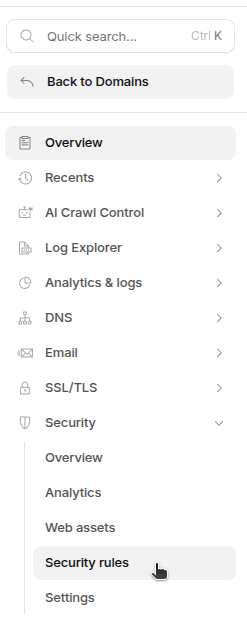
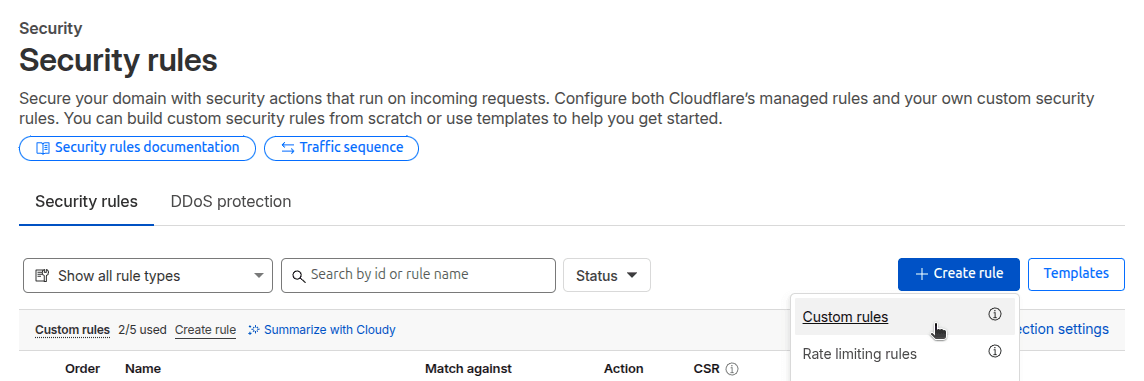
Step 2 - Create a New Custom Rule
- Click Create rule
- Select Custom rules
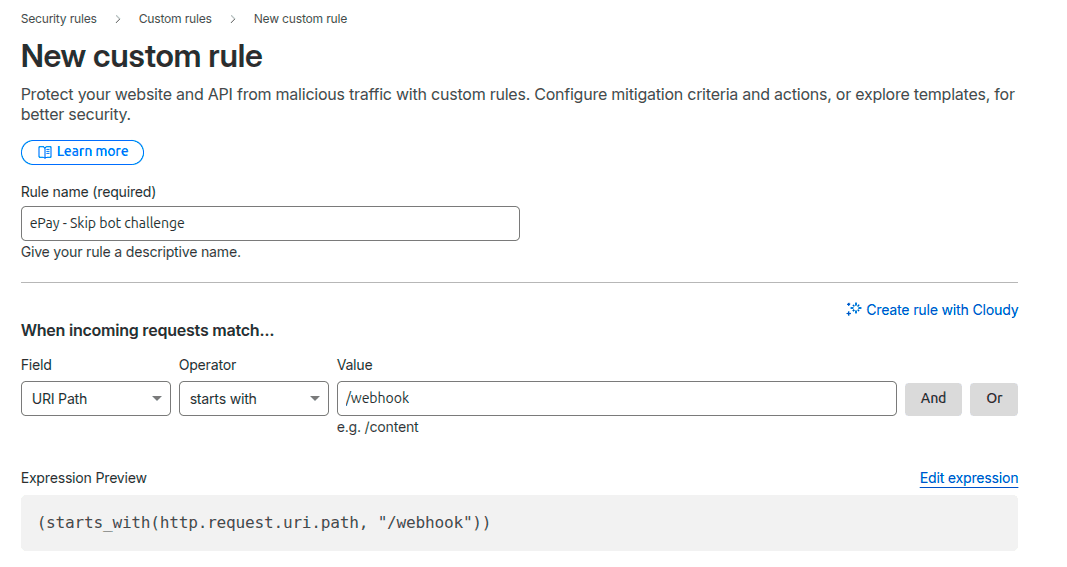
Step 3 - Configure the Rule
Fill in the rule using your callback URL path.
Rule Settings
- Field: URI Path
- Operator: starts with
- Value:
/webhook
(or the specific path used for your ePay callback URL)
Example:
This ensures Cloudflare matches all incoming requests that begin with this path.
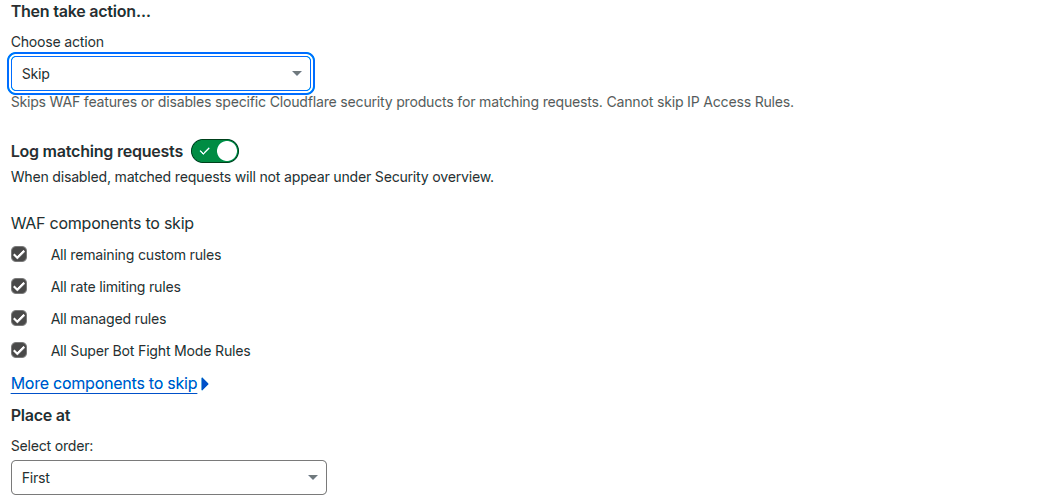
Step 4 - Select Action
Under Then take action:
- Choose Skip
This tells Cloudflare to skip security checks for this specific URL.
No additional fields need to be modified.
Step 5 - Deploy the Rule
- Click Deploy
The rule is now active.

Result
Cloudflare will now:
- Allow ePay webhook requests to pass
- Prevent WAF or Bot Fight Mode from blocking the callback
- Ensure proper communication between ePay and your website
When Is This Necessary?
You may need this configuration if:
- Payment status updates are not being received
- Webhook requests are failing
- Cloudflare logs show blocked or challenged requests on your callback URL
If you are unsure about your callback path, you can verify it in your ePay configuration.
Error Codes
Reference the most common ePay API error codes, their meaning, and how they should be handled in client integrations.
SoftPay
This guide walks through how to integrate Softpay using the ePay API for physical terminals, with a focus on getting app switching to behave reliably and predictably.